Introduction
Having a business website is an important step toward building your online presence. However, simply creating a website is not enough. You also need to optimize it so that search engines can understand your content and potential customers can find your business online.
WordPress is one of the most popular platforms for building websites. It offers many features that make SEO easier, but your website still needs proper optimization to perform well in search results.
A well-optimized WordPress website can help your business attract relevant visitors, provide a better user experience, and generate more opportunities to connect with potential customers.
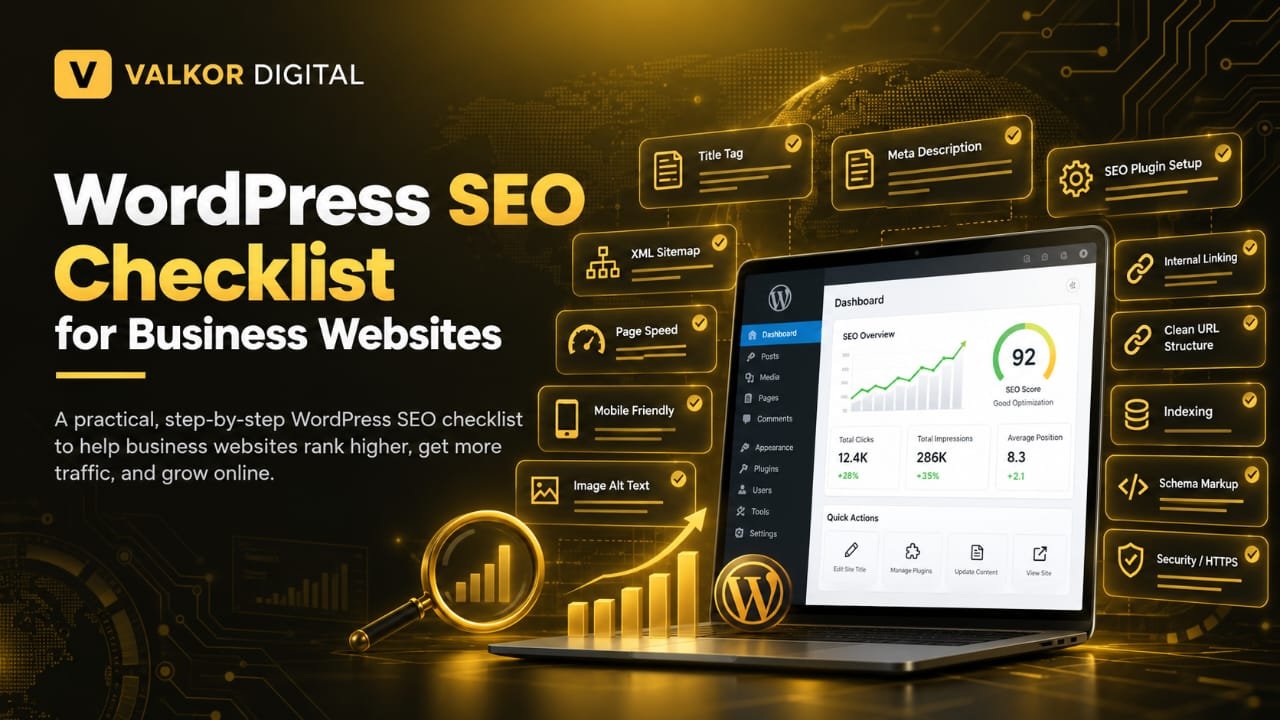
In this guide, we will cover a practical WordPress SEO checklist for business websites, including on-page SEO, technical SEO, website speed, mobile optimization, content quality, and performance tracking.
What Is WordPress SEO?
WordPress SEO is the process of optimizing a WordPress website to help search engines discover, understand, and index its content.
SEO stands for Search Engine Optimization. It includes several activities that help improve a website’s visibility in organic search results.
For example, if you run a digital marketing agency, you may want your website to appear when people search for services such as SEO services, website optimization, or content writing.
WordPress provides a flexible foundation for SEO, but good results depend on factors such as content quality, website structure, technical performance, competition, and the relevance of your pages to searchers’ needs.
Following a structured SEO checklist helps you avoid common mistakes and maintain an organized optimization process.
Why Is WordPress SEO Important for Business Websites?
SEO can help businesses reach people who are already searching for their products, services, or information related to their industry.
Here are some important benefits of optimizing your WordPress website.
1. Improve Search Visibility
When your website follows SEO best practices, search engines can more easily understand its pages and content. This can help your relevant pages become eligible to appear for appropriate search queries.
2. Attract Relevant Website Visitors
SEO helps you target keywords related to your business and audience. For example, a local plumbing company may create a useful service page targeting people looking for plumbing services in its service area.
The goal is not simply to attract more visitors but to reach people who are genuinely interested in what your business offers.
3. Build Trust With Potential Customers
A professional website with useful content, clear service information, secure browsing, and accessible contact details can help visitors feel more confident about your business.
SEO cannot guarantee customer trust, but a reliable website can support a better first impression.
4. Support Long-Term Marketing Goals
Paid advertising can bring visitors while campaigns are running. SEO focuses on improving organic visibility over time.
SEO requires ongoing work, and rankings are never guaranteed. However, useful content and a technically sound website can become valuable long-term business assets.
WordPress SEO Checklist for Business Websites
Use the following checklist to review the most important areas of your WordPress website.
1. Choose an SEO-Friendly WordPress Theme
Your WordPress theme affects how your website looks and how its pages are structured.
Choose a theme that is responsive, regularly maintained, accessible, and compatible with the features your business needs.
A good theme should:
- Work properly on mobile devices.
- Load efficiently without unnecessary features.
- Use a clear heading structure.
- Support accessible navigation.
- Avoid excessive scripts and unnecessary design elements.
- Receive regular updates from its developer.
Avoid choosing a theme based only on appearance. A visually attractive theme may still create performance or usability problems if it includes too many unnecessary features.
Before changing your theme on a live website, test the new design carefully to ensure that your content, navigation, and important business functions continue to work.
2. Install and Configure an SEO Plugin
An SEO plugin can make it easier to manage important optimization settings in WordPress.
Popular options include Yoast SEO, Rank Math, and All in One SEO. You generally need only one main SEO plugin for these functions.
An SEO plugin can help you:
- Edit SEO titles and meta descriptions.
- Configure canonical URLs.
- Generate or manage XML sitemaps.
- Add certain structured data.
- Set indexing preferences for pages and posts.
- Review basic on-page SEO elements.
Remember that installing an SEO plugin does not automatically optimize your entire website. You still need to create useful content, configure settings correctly, and review your pages.
Avoid activating overlapping SEO features in multiple plugins because conflicting settings can cause problems.
3. Research the Right Keywords
Keyword research helps you understand what your potential customers search for on Google.
Before creating a page, identify its main topic and the search terms your target audience may use.
For example, a digital marketing agency might research keywords such as:
- SEO services for small businesses
- WordPress SEO services
- Website optimization services
- Local SEO for businesses
- Content writing services
Choose keywords that match your services, audience, and the purpose of each page.
You can use tools such as Google Keyword Planner, Google Search Console, and other keyword research platforms to discover search terms and evaluate their potential.
For more guidance, read our keyword research guide.
Best practice: Focus each important page on a clear primary topic. Include relevant related terms naturally rather than repeating the same keyword unnecessarily.
4. Optimize SEO Titles and Meta Descriptions
SEO titles and meta descriptions help communicate what a webpage is about.
The SEO title may appear as the clickable headline in search results, although Google can generate a different title when appropriate. Meta descriptions may be used as search snippets, but Google can also select text directly from the page.
For each important page:
- Write a unique, descriptive SEO title.
- Explain the page’s value clearly.
- Include the primary keyword naturally when relevant.
- Write a useful meta description.
- Avoid keyword stuffing.
- Avoid using identical titles across many pages.
For example, a business offering website design could use a title such as “WordPress Website Design Services for Small Businesses.”
Make sure the title accurately represents the content. Do not make promises that the page cannot support.
5. Create Clean and Descriptive URLs
A URL should help users and search engines understand what a page contains.
WordPress allows you to choose permalink settings for posts and pages. For many business websites, descriptive URLs are a practical choice.
For example:
Less descriptive:
example.com/?p=123
More descriptive:
example.com/wordpress-seo-services/
Follow these URL best practices:
- Use short, descriptive words.
- Separate words with hyphens.
- Avoid unnecessary numbers and parameters when possible.
- Keep URLs relevant to the page topic.
- Avoid changing established URLs without a good reason.
If you change an existing URL, set up an appropriate permanent redirect from the old URL to the new one and update relevant internal links. This helps users and search engines reach the correct page.
6. Use Headings Correctly
Headings organize your content and make it easier to read.
Your page should have a clear structure that moves logically from the main topic to supporting sections.
Use headings as follows:
- H1: The main heading of the page.
- H2: Major sections.
- H3: Subsections within an H2 section.
For example, a blog about WordPress SEO might use the H1 “WordPress SEO Checklist for Business Websites,” followed by H2 headings such as “Optimize SEO Titles” and “Improve Website Speed.”
Use headings to describe the content that follows. Avoid adding headings simply to insert more keywords, and do not rely on heading levels only for visual styling.
7. Publish Helpful and Original Content
Content is an essential part of SEO because it helps search engines and users understand your expertise, services, and website purpose.
Create content that answers real questions and provides useful information.
For a business website, important content may include:
- Clear service pages.
- Helpful blog articles.
- Frequently asked questions.
- Case studies based on genuine work.
- Product or service comparisons where relevant.
- Company information and contact details.
Avoid copying competitors’ articles or publishing many pages that provide almost identical information.
Your content should be accurate, easy to understand, and appropriate for your audience. If you use AI tools to assist with writing, review the content carefully for accuracy, originality, and usefulness before publishing it.
8. Optimize Images for SEO and Performance
Images make business websites more engaging, but large or poorly prepared images can slow down your pages.
Optimize images before uploading them to WordPress.
Follow these practices:
- Use descriptive file names where practical.
- Compress images to reduce file size.
- Use suitable formats such as WebP when supported.
- Add meaningful alt text to informative images.
- Keep image dimensions appropriate for their display size.
- Avoid uploading unnecessarily large files.
For example, an image showing a WordPress dashboard could use a descriptive file name such as wordpress-seo-dashboard.webp.
Alt text should explain the image’s purpose or meaningful content. Do not stuff keywords into every image description, and use empty alt text for purely decorative images when appropriate.
9. Improve Website Speed
Website speed is important for user experience. Visitors may find a slow website frustrating, especially when they are trying to contact your business or explore your services.
To improve WordPress performance:
- Choose reliable hosting.
- Use a lightweight theme.
- Compress and resize images.
- Remove unnecessary plugins.
- Use caching where appropriate.
- Reduce unnecessary scripts and styles.
- Consider a content delivery network if suitable.
- Review third-party tools that slow down your pages.
You can use Google PageSpeed Insights to identify performance issues and receive suggestions for improvement.
Do not install multiple performance plugins without checking whether their features overlap. Test changes carefully because some optimization settings can affect your website’s design or functionality.
10. Make Your Website Mobile-Friendly
Many people browse websites on mobile devices. Your business website should remain easy to use on different screen sizes.
Check that:
- Text is readable without zooming.
- Menus work correctly on small screens.
- Buttons and links are easy to tap.
- Images fit within the screen.
- Forms are easy to complete.
- Important business information is accessible.
- No content is hidden or cut off.
Test your main pages on mobile devices and review the layout after theme or plugin updates.
Mobile usability is not only about appearance. Visitors should be able to find services, understand your offers, and contact your business without unnecessary difficulty.
11. Set Up Google Search Console
Google Search Console is a free tool that helps website owners monitor their website’s performance in Google Search.
It provides information about search queries, impressions, clicks, indexing, and certain technical issues.
After setting up your WordPress website:
- Add your website property to Google Search Console.
- Verify ownership using a supported method.
- Submit your XML sitemap if appropriate.
- Review indexing reports.
- Monitor search performance.
- Investigate important indexing or crawling issues.
You can use Search Console to discover which queries bring visitors to your website and which pages receive search impressions.
Remember that submitting a sitemap does not guarantee that Google will index every URL. Google decides which pages to crawl and index based on its systems and other factors.
12. Create and Submit an XML Sitemap
An XML sitemap lists important URLs that you want search engines to discover.
Many WordPress SEO plugins can generate a sitemap automatically. WordPress also provides a basic sitemap feature.
Your sitemap should include the URLs you want search engines to discover, such as important pages and published posts.
Check that your sitemap:
- Loads successfully.
- Contains the correct canonical URLs.
- Does not unnecessarily include private or unwanted pages.
- Does not contain broken or redirected URLs.
- Is submitted in Google Search Console where appropriate.
If your SEO plugin already generates a sitemap, avoid creating conflicting sitemap systems without a clear reason.
13. Check Indexing Settings
A page can be well written and optimized but still fail to appear in search results if search engines cannot index it.
WordPress includes a setting that asks search engines not to index the website. This can be useful during development, but it should be reviewed before a public website launches.
To check it:
- Open your WordPress dashboard.
- Go to Settings → Reading.
- Find the search engine visibility option.
- Make sure the option asking search engines not to index the site is not enabled on a live website that should appear in search results.
Also review individual page settings in your SEO plugin. Important service pages and blog posts should not accidentally have a noindex directive.
This setting does not guarantee indexing when disabled; it simply avoids unintentionally discouraging search engines from indexing your website.
14. Improve Internal Linking
Internal links connect one page of your website to another page on the same domain.
They help visitors discover related content and provide search engines with information about your website’s structure.
For example, a blog explaining WordPress SEO can link to a related guide about keyword research or a relevant SEO service page.
Good internal linking practices include:
- Linking to relevant pages naturally.
- Using descriptive anchor text.
- Connecting related blog posts.
- Linking to important service pages where useful.
- Checking for broken internal links.
- Avoiding excessive links that distract readers.
Do not add internal links simply to increase their number. Each link should help visitors understand a topic or take a useful next step.
15. Use HTTPS and Maintain Website Security
Website security is essential for protecting visitors and maintaining a reliable business website.
Make sure your website uses HTTPS with a valid SSL/TLS certificate.
You should also:
- Keep WordPress updated.
- Update themes and plugins.
- Remove plugins and themes you no longer need.
- Use strong, unique passwords.
- Limit administrator access to trusted people.
- Maintain regular backups.
- Use reputable security tools when appropriate.
HTTPS helps protect data exchanged between a visitor’s browser and your website. It does not, by itself, guarantee high rankings or make a website completely secure.
16. Add Relevant Structured Data
Structured data is a standardized format that helps search engines understand information on a webpage.
Depending on your business, relevant structured data may include Organization, LocalBusiness, Article, or BreadcrumbList markup.
For example, suitable Organization markup can help describe your business name, website, and other supported details.
Follow these rules:
- Use the schema type that matches the actual page or business.
- Provide accurate information.
- Ensure the markup reflects visible page content where required.
- Validate the implementation with Google’s Rich Results Test when relevant.
- Avoid adding misleading or unsupported details.
Structured data can make pages eligible for certain search enhancements, but it does not guarantee that Google will display a rich result.
17. Optimize Local SEO for Local Businesses
If your business serves customers in a specific city or service area, local SEO may be an important part of your strategy.
For example, a business that serves customers in Karachi may want its website to clearly explain its services and the areas it serves.
To support local SEO:
- Create useful pages for your actual service areas where appropriate.
- Display accurate business contact information.
- Keep your business name, address, and phone number consistent where applicable.
- Create and maintain a Google Business Profile if eligible.
- Encourage genuine customer reviews without offering prohibited incentives.
- Add relevant local business structured data when appropriate.
Avoid creating many nearly identical location pages that provide little unique value. Local pages should help people understand the services available in each area.
18. Fix Broken Links and Redirect Issues
Broken links can frustrate visitors and make it harder for them to reach useful information.
Review your website periodically for:
- Links that return 404 errors.
- Redirect chains.
- Incorrect internal links.
- Outdated external references.
- Pages that redirect to unrelated destinations.
When a page moves permanently, use an appropriate 301 redirect to its relevant replacement. If there is no suitable replacement, choose the appropriate response rather than automatically redirecting every removed page to the homepage.
Update internal links to point directly to the correct destination whenever possible.
19. Review Your Website’s Navigation
Your navigation should help visitors find important information quickly.
For a business website, the main menu may include:
- Home.
- About.
- Services.
- Blog or Resources.
- Contact.
The exact structure depends on your business and the size of your website.
Use clear menu labels and organize related pages logically. Important service pages should be easy to find, and visitors should not need to click through too many unnecessary levels.
A simple, well-organized navigation structure supports usability and helps search engines discover important pages.
20. Track SEO Performance Regularly
SEO is an ongoing process. After making improvements, monitor your website to understand what is working and where further changes may be needed.
Useful metrics include:
- Organic clicks.
- Search impressions.
- Search queries.
- Click-through rate.
- Indexed pages.
- Relevant keyword visibility.
- Organic conversions, such as contact form submissions.
- Leads or sales generated through organic traffic.
Google Search Console can help you understand search performance, while Google Analytics can help you analyze visitor behavior and conversions.
Do not judge SEO success by rankings alone. A business website should aim to attract relevant visitors and help them complete meaningful actions.
Common WordPress SEO Mistakes to Avoid
Even if you follow an SEO checklist, certain mistakes can weaken your efforts.
Avoid these common problems:
- Installing multiple plugins with overlapping SEO features.
- Repeating keywords unnaturally.
- Publishing thin or copied content.
- Ignoring mobile usability.
- Uploading large, unoptimized images.
- Forgetting to check indexing settings.
- Leaving important pages without internal links.
- Using misleading structured data.
- Ignoring broken links and redirects.
- Expecting immediate ranking improvements.
- Promising guaranteed first-page rankings.
SEO takes time, testing, and consistent improvement. Focus on making your website useful for your audience rather than looking for shortcuts.
Frequently Asked Questions About WordPress SEO
Is WordPress good for SEO?
Yes. WordPress provides a flexible platform with features and plugins that can support SEO. However, good rankings still depend on content quality, technical setup, relevance, competition, and other factors.
Do I need an SEO plugin for WordPress?
An SEO plugin can make tasks such as editing metadata and managing sitemaps easier. It is useful for many websites, but installing a plugin alone does not guarantee better rankings.
How long does WordPress SEO take to show results?
There is no fixed timeline. Results depend on your website’s history, competition, technical condition, content, and the changes you make. Some improvements can be noticed relatively quickly, while meaningful organic growth may take months.
Is website speed important for SEO?
Yes. Page experience and Core Web Vitals are part of Google’s ranking systems, although they are not the only factors. Speed improvements can also make a website easier and more pleasant to use.
Should every WordPress page be indexed?
No. Important public pages should generally be accessible for indexing, but certain pages—such as private, duplicate, or low-value utility pages—may not need to appear in search results. Choose indexing settings based on each page’s purpose.
Can I do WordPress SEO myself?
Yes. Business owners can handle many basic SEO tasks, including keyword research, content optimization, internal linking, sitemap submission, and performance monitoring. More complex technical issues may require help from an experienced SEO professional.
Conclusion
Optimizing a WordPress website requires more than installing a plugin or adding keywords to a page. You need a complete approach that covers useful content, on-page SEO, technical performance, website security, mobile usability, and ongoing monitoring.
Use this WordPress SEO checklist to review your business website step by step. Start with essential tasks such as keyword research, descriptive page titles, clean URLs, useful content, mobile usability, and Google Search Console. Then work through technical improvements, structured data, internal linking, and performance tracking.
Remember that SEO is a continuous process. Review your website regularly, fix problems when they appear, and update your content when it needs improvement.
By focusing on helpful content and a reliable user experience, you can build a stronger foundation for your business website’s long-term organic search visibility.