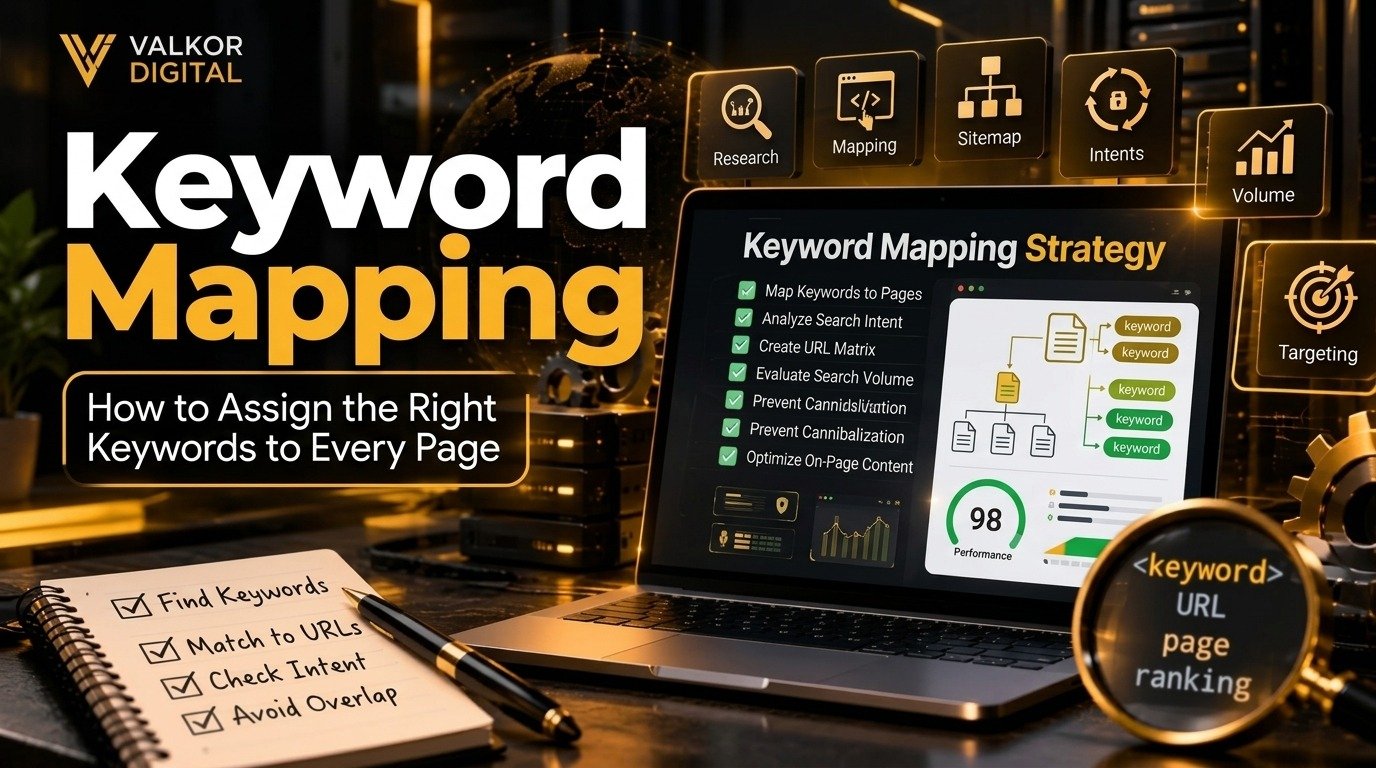
Keyword research helps you discover what your audience searches for on Google. But finding keywords is only one part of an effective SEO strategy. You also need to decide which keywords belong to which pages on your website.
This process is called keyword mapping.
Without a clear keyword map, multiple pages may target the same search terms, important keywords may have no dedicated landing page, and your content strategy can become difficult to manage. Keyword mapping helps you organize your website around search intent, assign relevant keywords to individual pages, and create a more structured SEO strategy.
In this guide, you will learn what keyword mapping is, why it matters, how to map keywords to pages step by step, and how to create a practical keyword mapping template for your website.
What Is Keyword Mapping?
Keyword mapping is the process of assigning relevant target keywords to specific pages on a website.
Instead of targeting the same keyword across multiple pages, you identify the main search term for each page and support it with closely related keywords that match the page’s purpose.
For example, a digital marketing agency might organize its keyword map like this:
| Website page | Primary keyword | Supporting keywords |
|---|---|---|
| SEO agency page | SEO agency | professional SEO services, SEO agency services |
| On-page SEO service page | on-page SEO services | on-page optimization, on-page SEO strategy |
| Content writing page | SEO content writing services | SEO blog writing, website content writing |
| Blog article | keyword mapping | keyword mapping for SEO, assign keywords to pages |
Each page has a defined purpose and a primary keyword. Supporting keywords help the page address related questions without forcing every term into a separate article.
The objective is not to insert as many keywords as possible. It is to make sure each page serves a clear purpose and satisfies the needs of the people searching for that topic.
Why Is Keyword Mapping Important for SEO?
Keyword mapping gives your SEO strategy a clear structure. It connects keyword research with website architecture, content creation, and optimization.
1. It Helps Prevent Keyword Cannibalization
Keyword cannibalization can happen when multiple pages on the same website target the same or very similar search intent and compete for visibility.
For example, imagine publishing three articles targeting nearly identical searches about keyword research. If all three cover the same questions and serve the same purpose, search engines may struggle to determine which page is the best result.
Keyword mapping helps you identify these overlaps before publishing new content.
If two pages genuinely serve different needs, they can still target related keywords. The important factor is whether each page provides distinct value and satisfies a different search intent.
2. It Improves Search Intent Alignment
Search intent is the reason behind a search query. A person searching for an explanation may want an educational article, while someone searching for an SEO agency may be looking for a service provider.
Assigning keywords based on search intent helps you choose the right content format for each topic.
For example:
- Informational intent: “What is keyword mapping?”
- Commercial investigation: “Best keyword mapping tools”
- Transactional intent: “Hire an SEO agency”
- Navigational intent: “Valkor Digital”
These searches should not automatically be assigned to the same page. Each one may require a different content approach.
3. It Creates a Better Website Structure
A keyword map helps organize related pages into meaningful groups.
For example, an SEO website may have a main SEO services page, supporting service pages, and educational blog articles. Each page can target a distinct topic while linking to relevant related pages.
This structure helps visitors navigate your website and gives search engines additional context about the relationships between your pages.
4. It Makes Content Planning More Efficient
Keyword mapping can reveal topics that already have suitable pages and topics that need new content.
Before creating an article, you can check whether your website already has a page targeting the same search intent. If a suitable page exists, improving it may be more useful than publishing another similar article.
If no suitable page exists, you can plan new content around the missing topic.
5. It Supports More Focused On-Page Optimization
Once you know a page’s primary keyword and supporting terms, you can optimize its title tag, headings, introduction, body content, and internal links more consistently.
For help optimizing individual pages, explore Valkor Digital’s on-page SEO services.
How to Create a Keyword Map Step by Step
A useful keyword map does not need to be complicated. You can start with a spreadsheet and expand it as your website grows.
Step 1: Crawl and Audit Your Existing Website
Before assigning keywords, understand what pages you already have.
Create a list of your existing URLs, including:
- Homepage
- Main service pages
- Individual service pages
- Category and product pages, if applicable
- Existing blog posts
- Important landing pages
You can use a website crawler or your existing website inventory to collect URLs and page titles. Google Search Console can also help you identify queries that already generate impressions and clicks for your pages.
Review each page’s purpose, existing content, organic performance, and relationship to other pages.
This initial audit helps you avoid creating duplicate content and gives you a clear starting point for keyword assignment.
Step 2: Conduct Keyword Research
Next, build a list of relevant keywords for your business and audience.
Useful sources include:
- Google Search Console for queries already associated with your website
- Google search suggestions for related search ideas
- Keyword research tools for search volume and competition estimates
- Competitor websites for topic discovery
- Customer questions, sales conversations, and support requests
For each keyword, consider its relevance, search intent, potential business value, and estimated search demand.
Do not select keywords based on search volume alone. A low-volume keyword that closely matches your service may be more valuable than a high-volume keyword that attracts the wrong audience.
Group similar terms together when they reflect the same underlying need.
For example, “keyword mapping for SEO,” “how to map keywords to pages,” and “assign keywords to pages” may fit naturally within one comprehensive guide, depending on the search results and the content you plan to provide.
Step 3: Group Keywords by Search Intent and Topic
After collecting keywords, organize them into logical groups.
A keyword group should contain terms that can be addressed effectively by the same page. Consider both the subject and the purpose of the search.
For example:
Group A: Learning keyword mapping
- What is keyword mapping?
- Keyword mapping for SEO
- How to map keywords to pages
- Keyword mapping template
Group B: Learning on-page SEO
- What is on-page SEO?
- On-page SEO checklist
- On-page optimization techniques
Group C: Finding an SEO service provider
- SEO agency
- Professional SEO services
- Hire an SEO consultant
These groups represent different content needs. The first group could be assigned to an educational guide, the second to a relevant educational resource or service page depending on intent, and the third to a commercial service page.
Grouping keywords first makes it easier to identify which page should target each group.
Step 4: Assign One Primary Keyword to Each Page
Choose the most relevant main keyword for each page.
The primary keyword should reflect the page’s central topic and align with what the intended visitor wants to find.
For example, if you have a guide explaining how to assign keywords to URLs, “keyword mapping” could be the primary keyword. Related phrases can support the same article.
A primary keyword does not mean the page must contain that exact phrase repeatedly. Use natural language and cover the subject thoroughly.
For commercial pages, select keywords that reflect the service being offered. An on-page SEO service page should not be assigned a broad informational keyword if searchers are mainly looking for an educational explanation.
Step 5: Assign Supporting Keywords
Supporting keywords are closely related terms that help a page address its subject more completely.
They may include synonyms, longer search phrases, related questions, and specific subtopics.
For a page targeting “keyword mapping,” supporting keywords might include:
- Keyword mapping for SEO
- Assign keywords to pages
- Keyword mapping template
- Keyword cannibalization
- Keyword-to-URL mapping
Include these terms only when they fit the content naturally. You do not need to use every phrase in the title or headings, and you should avoid creating awkward sentences just to include keywords.
The goal is to answer the visitor’s questions, not to meet an arbitrary keyword count.
Step 6: Map Each Keyword Group to a Specific URL
Now connect each keyword group to the most appropriate existing URL or planned page.
Your keyword map should show which URL owns the main topic. This makes it easier to manage content updates and identify gaps.
For example:
| URL | Primary keyword | Page type |
|---|---|---|
/seo-agency/ | SEO agency | Service landing page |
/seo-agency/on-page-seo/ | on-page SEO services | Service page |
/content-writing/ | SEO content writing services | Service page |
/keyword-mapping/ | keyword mapping | Blog article |
These URLs are illustrative examples of page assignments. Before publishing, confirm that each URL exists or is intentionally planned for your website.
If an existing page already satisfies the search intent, consider optimizing it instead of automatically creating a new page.
Step 7: Review Keyword Overlap and Cannibalization
Once you have assigned keywords, review your map for overlapping page targets.
Look for situations where:
- Two pages have the same primary keyword.
- Several articles answer the same questions.
- A blog article and a service page target identical search intent.
- Multiple URLs cover the same topic without a clear difference in purpose.
A repeated keyword is not automatically a problem. A website can have multiple pages that mention the same broad topic while serving different audiences or purposes.
To investigate potential cannibalization, compare the affected pages’ content, search intent, and Google Search Console query data. Review whether Google consistently shows different pages for the same queries and whether that behavior is actually hurting performance.
Possible solutions include differentiating the pages, updating their keyword targets, combining overlapping content when appropriate, or redirecting an outdated URL when there is a clear replacement.
Do not merge or redirect pages simply because they share a keyword. Make the decision based on their purpose, quality, performance, and relevance.
Step 8: Add Internal Links Between Related Pages
Keyword mapping can also help you build a more logical internal linking structure.
Connect related pages where a link would genuinely help the reader. For example, an educational article about keyword mapping can link to an on-page SEO service page when discussing professional page optimization.
Likewise, a relevant content writing page can link to educational resources that help readers understand content planning.
Use descriptive anchor text that accurately explains the destination. Avoid repeating the same exact-match anchor text unnaturally across the entire website.
Internal links should help users discover useful information, not exist solely to insert keywords.
Step 9: Track Performance and Update Your Keyword Map
Keyword mapping is an ongoing process rather than a one-time task.
As you publish content, improve existing pages, and learn more about your audience, revisit your assignments.
Use Google Search Console to monitor:
- Search queries associated with each URL
- Impressions and clicks
- Click-through rate
- Average search position
- Changes in which pages appear for important queries
Use analytics data, where available, to understand whether visitors engage with the content and complete relevant actions.
If a page consistently attracts queries that are outside its intended purpose, review whether its content needs improvement or whether another page would better satisfy that search intent.
Update the keyword map when you create new pages, change URLs, merge content, or revise your SEO strategy.
Keyword Mapping Template: A Practical Example
A spreadsheet is one of the simplest ways to manage a keyword map.
You can use the following structure in Excel or Google Sheets.
| URL | Page type | Primary keyword | Supporting keywords | Search intent | Status |
|---|---|---|---|---|---|
/seo-agency/ | Service page | SEO agency | SEO services, SEO agency services | Commercial | Existing |
/seo-agency/on-page-seo/ | Service page | On-page SEO services | On-page optimization, on-page SEO strategy | Commercial | Existing |
/content-writing/ | Service page | SEO content writing services | SEO blog writing, website content writing | Commercial | Existing |
/keyword-mapping/ | Blog post | Keyword mapping | Keyword mapping for SEO, keyword mapping template | Informational | Planned or existing |
The table above is a sample structure, not a verified inventory of your live website URLs.
For a more detailed keyword mapping template, consider adding these columns:
- Target country or location
- Monthly search volume estimate
- Keyword difficulty estimate
- Current ranking URL
- Secondary keyword group
- Internal link opportunities
- Content owner
- Last updated date
- Next review date
You do not need every column at the beginning. Start with the URL, primary keyword, supporting keywords, search intent, and page status. Add more details as your SEO workflow becomes more advanced.
Common Keyword Mapping Mistakes to Avoid
Even a well-researched keyword list can produce weak results if the mapping process is not handled carefully.
Targeting the Same Search Intent on Multiple Pages
Publishing several pages around the same topic without meaningful differences can create unnecessary overlap.
How to avoid it: Review existing pages before planning new content. Give each page a clear purpose and distinguish its target audience or search intent where appropriate.
Choosing Keywords Based Only on Search Volume
High-volume keywords may be broad, highly competitive, or unrelated to your business goals.
How to avoid it: Evaluate relevance, intent, potential value, and your ability to satisfy the searcher’s needs.
Ignoring Search Intent
A keyword map may look organized but still fail if an informational article targets a query where searchers mainly expect a service page, or vice versa.
How to avoid it: Review the search results and determine which type of content is most appropriate for the query.
Forcing Every Supporting Keyword Into the Content
Unnatural keyword placement can make an article harder to read and reduce its usefulness.
How to avoid it: Use supporting terms where they contribute meaningfully. Focus on clear explanations and comprehensive topic coverage.
Forgetting to Update the Keyword Map
Websites change. New pages are published, old pages become outdated, and search behavior evolves.
How to avoid it: Review the map whenever you create or significantly update content, and schedule periodic reviews based on your website’s needs.
Creating New Pages When Existing Content Is Sufficient
Not every keyword needs a separate URL. Closely related searches may be best addressed by one comprehensive page.
How to avoid it: Group keywords according to topic and search intent before deciding whether to create a new page.
How Keyword Mapping Fits Into Your Overall SEO Strategy
Keyword mapping connects several important SEO activities.
Keyword research identifies relevant search terms. Search intent analysis helps determine what people expect to find. Keyword mapping assigns those topics to appropriate URLs. On-page SEO then helps optimize the selected pages, while internal linking connects related content.
Together, these activities help you build a website that is easier to navigate, simpler to maintain, and better aligned with your audience’s needs.
For businesses developing a broader organic search strategy, professional on-page SEO services can help organize page-level optimization. Strong content planning also matters, which is why content writing services can support the creation of useful, search-focused website content.
The exact approach will depend on your website’s size, existing content, competitive landscape, and business goals.
Frequently Asked Questions About Keyword Mapping
What is keyword mapping in SEO?
Keyword mapping is the process of assigning relevant primary and supporting keywords to specific website URLs. It helps organize content, align pages with search intent, and identify potential keyword overlap.
Why is keyword mapping important?
Keyword mapping helps clarify the purpose of each page, reduce unnecessary content duplication, improve internal linking, identify content gaps, and make on-page optimization more organized.
How many keywords should each page target?
There is no fixed number. A page should generally have one clear primary topic, supported by relevant secondary keywords and related questions. The number depends on the subject, search intent, and scope of the content.
Can two pages target the same keyword?
Yes, in some cases. Two pages can mention or target the same keyword when they serve distinct purposes or audiences. However, if they satisfy the same search intent with substantially overlapping content, review whether both pages are necessary.
What is the difference between keyword research and keyword mapping?
Keyword research identifies the search terms relevant to your audience and business. Keyword mapping assigns those terms to the most appropriate pages on your website.
In simple terms, keyword research tells you which keywords matter; keyword mapping tells you where they belong.
Is keyword mapping a one-time task?
No. You should revisit your keyword map as your website grows, new content is published, search performance changes, and existing pages are updated.
Which tools can help with keyword mapping?
You can begin with Excel or Google Sheets. Google Search Console can help you review queries and landing-page performance, while keyword research tools and website crawlers can support keyword discovery and URL auditing.
Choose tools according to the size of your website and the complexity of your SEO workflow.
Final Thoughts
Keyword mapping helps turn keyword research into a clear, practical content strategy. By assigning relevant keywords to the right pages, aligning content with search intent, and reviewing potential overlap, you can create a more organized website and make future SEO work easier to manage.
Start by auditing your existing URLs, grouping keywords by topic and intent, assigning a primary keyword to each page, and documenting the results in a spreadsheet. Then review internal links and monitor performance over time.
The most effective keyword map is not the one with the most keywords. It is the one that gives every important page a clear purpose and helps visitors find the information they need.
If your website needs a more structured approach to page optimization and content planning, explore Valkor Digital’s on-page SEO services to learn more about building a focused SEO strategy.